SSilpuAI Studio+
Render free
Self-serve side of SilpuAI Studio+·Run a building firm? Win the project → for builders
SilpuAI Studio+ · Self-serve rendering

Render it yourself.
In seconds.

Upload a 3D model, a screenshot, an empty-room photo or a product shot — get a magazine-grade render straight away. Faithful to your design, never invented. From A$1.50, no studio, no wait.

Free to try — no card. Then A$1.50 a render · credits never expire.
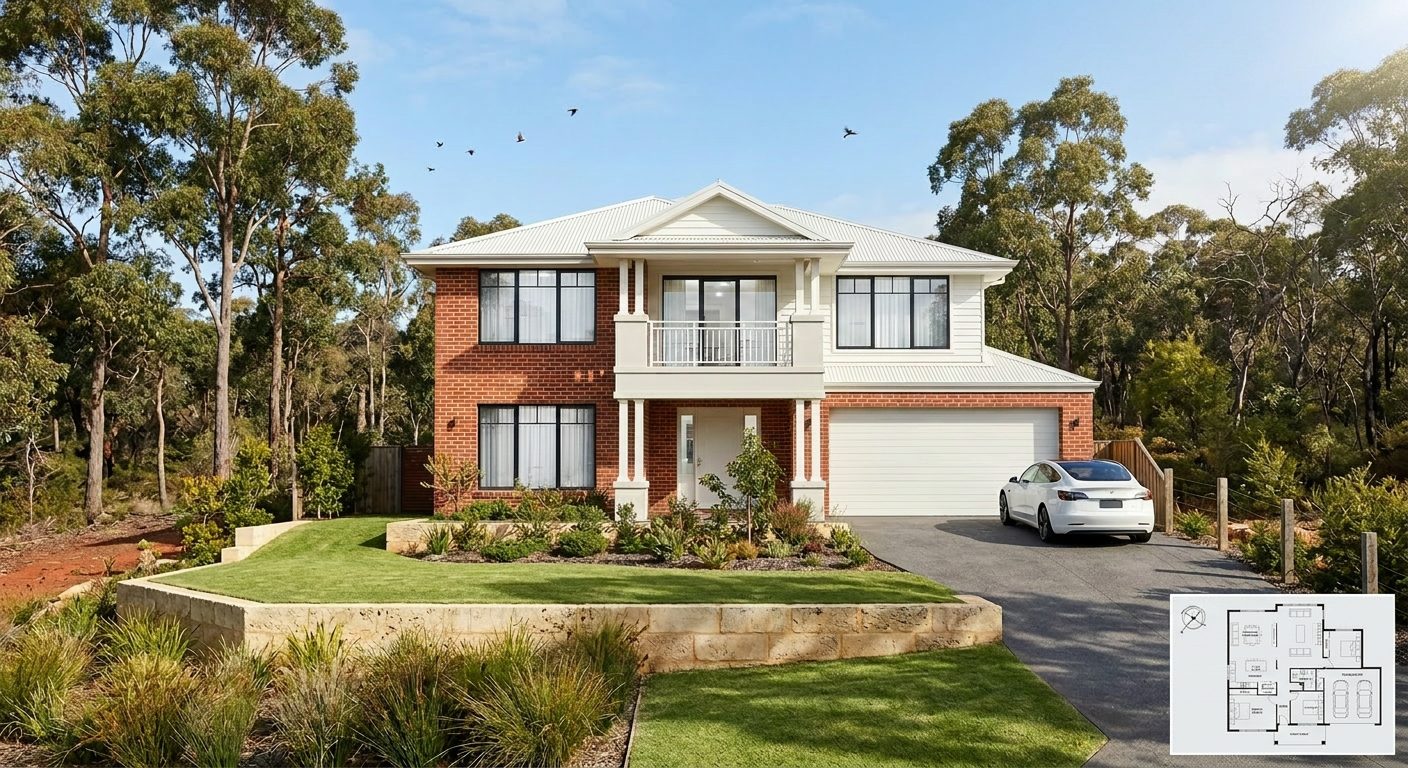
A photoreal SilpuAI Studio+ render of a two-storey Perth home in bushland
Your model → photoreal, exactly as designed.SILPUAI STUDIO+
For designers · interior designers · agents · renovators · developers · product sellers From any model, screenshot, room or product photo
Three steps

No render skills. No scene setup. No wait.

01

Drop it in

A model view, a phone photo of an empty room, a product shot — anything. Or one click from the SketchUp / ArchiCAD / Revit plugin.

02

Pick a look

Photoreal, golden hour, dusk, or a concept style. Set the light and mood — the sun, the time of day — in a tap.

03

Generate

A magazine-grade render in seconds. Relight, restyle, stage the room, download. A$1.50 a render.

ChatGPT imagines it. Silpu shows the real one.

Ask a generic AI to render your space and it invents — a different room every time, wrong windows, made-up materials. Pretty, but not yours. Studio+ locks to what you gave it, so it renders your actual design — accurate enough to send a client, a builder, or a buyer.

Faithful isn't a setting. It's the whole reason to use it.

One tool, many jobs

What people render with it.

ExteriorsInteriorsFloor plansEmpty-room staging Product shotsReal-estate listingsConcept & options ElevationsStreetscapes & landscape
Pricing

Pay for what you render. Nothing else.

A$1.50
per render
Free to try — no card. Sign in and go.
  • Credits never expire.
  • Any input — model, screenshot, room photo, product shot.
  • Relight, restyle, stage — all included.
  • Clean, unwatermarked output on paid renders.
  • Free plugins for SketchUp · ArchiCAD · Revit.
Questions

Quick answers.

Do I need to know how to render?

No. If you can upload a photo, you can use it. No scene setup, no lighting rig, no software to learn — pick a look and generate.

What can I upload?

A 3D model view, any screenshot, a photo of an empty room, or a product shot. It renders from whatever you give it.

How is this different from ChatGPT or Midjourney?

Generic AI invents a new image; it won't stay true to your actual space or design. Studio+ locks to your input, so what comes out is yours — usable for a real listing, client or build.

What does it cost?

A$1.50 per render, credits never expire, free to try with no card. Pay only for what you create.

Your first render's on us.

No card, no wait. Upload anything and see it photoreal in seconds.

Start rendering →